
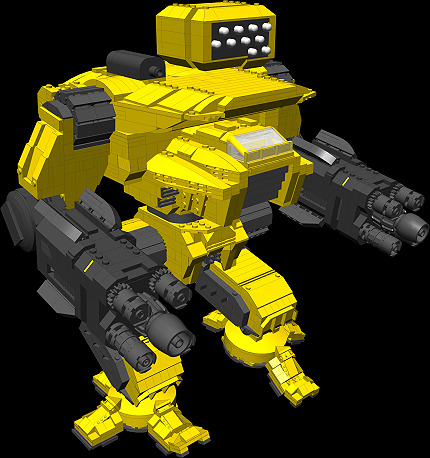
Mech Instructions (Secrets of the Clans and Inner Sphere)
Moderators: Dr. X, ikensall, fredde
-
chaplin-austin

- Hero
- Posts: 86
- Joined: Thu Mar 25, 2010 6:20 pm
- Location: Chillin at the park with a sock on my cock see, playing hop-scotch while the cops try to stop me.

http://www.ldraw.org/Article126.html
This is a link to the Ldraw, step by step instructions for downloading properly. Pick which system you are operating, windows, mac, etc. then follow the links and steps. You just need the basic installation.
When you have Ldraw, or it will be MLCAD on your desktop icon, load it up and you should just need to get familiar with just a few features to view/edit models. Learn how to use pan, zoom, and when you're viewing an entire model, switch to edit mode (under Settings) and you'll be able to move individual pieces of the model.
To view Primus' models, just download the file, and then you'll need to Extract the folder. Just click on the .dat file you want and make sure MLCAD is your default opener, and you're good to go.
This is a link to the Ldraw, step by step instructions for downloading properly. Pick which system you are operating, windows, mac, etc. then follow the links and steps. You just need the basic installation.
When you have Ldraw, or it will be MLCAD on your desktop icon, load it up and you should just need to get familiar with just a few features to view/edit models. Learn how to use pan, zoom, and when you're viewing an entire model, switch to edit mode (under Settings) and you'll be able to move individual pieces of the model.
To view Primus' models, just download the file, and then you'll need to Extract the folder. Just click on the .dat file you want and make sure MLCAD is your default opener, and you're good to go.

-
BFenix

- Pooplord
- Posts: 4112
- Joined: Wed Jan 06, 2010 2:13 pm
- Location: City Of Ravens (Lisbon)
- Contact:
Thx dude, I was looking for something like this for a while now... Hope I can finally get that Atlas!MicVash wrote:http://www.ldraw.org/Article126.html
This is a link to the Ldraw, step by step instructions for downloading properly. Pick which system you are operating, windows, mac, etc. then follow the links and steps. You just need the basic installation.
When you have Ldraw, or it will be MLCAD on your desktop icon, load it up and you should just need to get familiar with just a few features to view/edit models. Learn how to use pan, zoom, and when you're viewing an entire model, switch to edit mode (under Settings) and you'll be able to move individual pieces of the model.
To view Primus' models, just download the file, and then you'll need to Extract the folder. Just click on the .dat file you want and make sure MLCAD is your default opener, and you're good to go.

